What Does a Compromise Assessment Report Contain? A Complete Guide for Malaysian Organisations
What Is a Compromise Assessment Report?
A compromise assessment report is the formal deliverable produced at the end of a Compromise Assessment engagement. It documents every suspicious activity detected across your environment during a defined observation window, the analyst’s investigation verdict for each indicator, and the recommended remediation steps.
Unlike a penetration testing report — which describes vulnerabilities that could be exploited — a compromise assessment report answers a different question: has an attacker already been inside, and what did they do?
The 6 Sections of a Simply Data Compromise Assessment Report
1. Document Control and Project Overview
The report opens with a version history table (issue date, version, preparer, reviewer), followed by the Project Overview which defines the scope of the engagement, the assets assessed, the assessment start and end dates, and the four core objectives:
- Detect indicators of compromise (IOCs) and signs of malicious activity
- Identify suspicious behaviour and unauthorised access potentially related to a threat actor
- Provide actionable recommendations to remediate identified threats
- Document findings in a structured format with impact, likelihood, and remediation priority
This section ensures full transparency on what was assessed and what was out of scope.
2. Executive Summary Dashboard
The Executive Summary is designed for CISOs, CIOs, and board members who need an immediate read without diving into technical detail. It contains:
Asset Coverage Table — every device assessed, with hostname, data source (EDR logs, network logs), and assessment type. If any device had limited data coverage (for example, only EDR logs due to network configuration), this is flagged clearly.
Findings Dashboard — four colour-coded metric tiles showing:
- Total suspicious activities detected
- Total suspicious activities investigated
- Suspicious / potential threats identified
- Confirmed compromised hosts
A clean engagement produces zero confirmed compromised hosts — that is a positive outcome. It does not mean the assessment found nothing; it means every suspicious activity was investigated and explained.
3. Assessment Summary Table
Before the detailed findings, the compromise assessment report presents a consolidated reference table. Every suspicious activity is listed in one place with:
| Field | What It Shows |
|—|—|
| Reference number | Links to the full finding in Section 4 |
| Host | Which server or endpoint generated the activity |
| Suspicious activity detected | Brief name of the indicator |
| Description | One-sentence plain-language explanation |
| Source logs | EDR logs, network logs, or both |
| Status | Benign/Expected, Suspicious/Potential Threat, or Confirmed Compromise |
This table lets your IT team quickly triage which findings need attention versus which are expected behaviour.
4. Detailed Per-Indicator Findings
This is the technical core of the compromise assessment report. Each finding follows a consistent structure:
Finding Title — descriptive name such as “Potential Port Scanning Activity from Compromised Host” or “Unusual File Transfer Utility Launched (rsync)”
Description — explains what the activity means in general terms, why it is a known attacker technique, and what legitimate behaviour looks like for comparison.
Host and Process Table — the specific device, data source, and executable involved. For example: host `
Assessment Analysis — the analyst’s full investigation notes, including:
- Timestamp and frequency (e.g., “repeated every day”, “once on 3 August”)
- Destination IP address or connection details
- Process parent-child relationship
- Contextual reasoning for the verdict
Conclusion — a clear, unambiguous verdict. Examples from real Simply Data engagements:
- “Benign / Expected Behavior — activity is consistent with a legitimate SFTP connection through OpenSSH”
- “Suspicious/Potential Threat — connection from a URL/IP with bad reputation was allowed to reach the DMZ IP; no malicious activity confirmed but inbound security control policy gap identified”
- “False positive — triggered by a legacy EDR agent left running due to incomplete uninstallation”
Common indicator types investigated in a Simply Data Compromise Assessment report include:
- Port scanning activity from internal hosts
- Unusual file transfer utility launches (FTP, rsync, scp, sftp)
- Shadow file reads via command line utilities
- Uncommon destination port connections by web servers
- Unusual remote file creation
- Command execution from web server parent processes
- Instance Metadata Service (IMDS) API requests (AWS/Azure)
- Successful root SSH logins
- Kernel module enumeration
- Linux user added to privileged group
- External alert correlations — inbound and outbound
5. Methodology Documentation
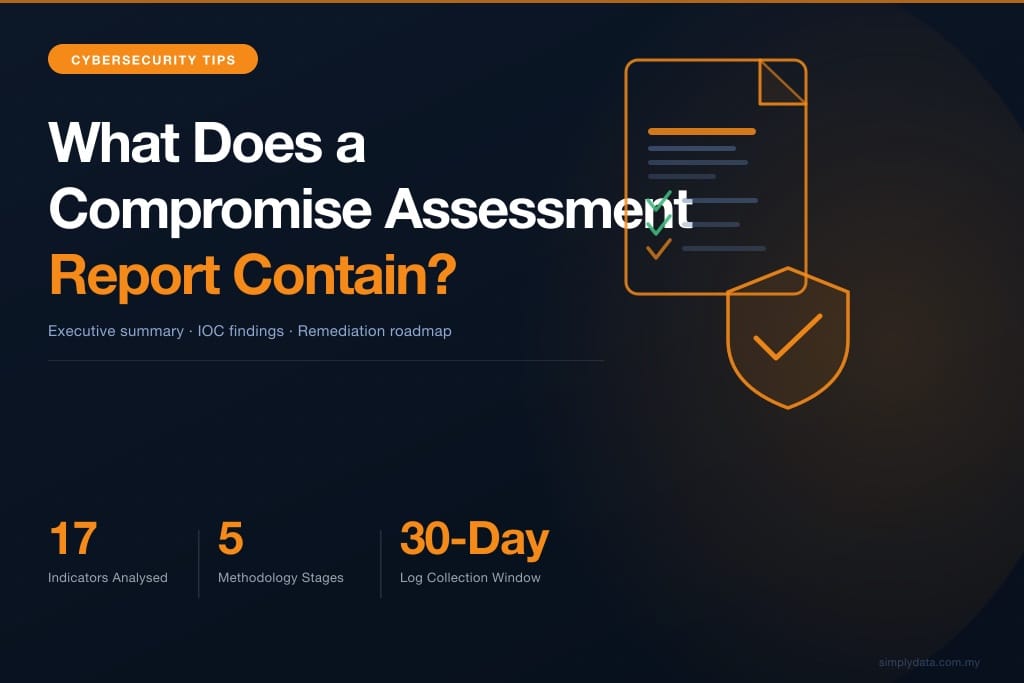
The compromise assessment report includes a full methodology flowchart showing how the engagement was conducted across five stages:
1. Scoping and Initial Meeting — kick-off meeting, scope agreement, RACI briefing
2. Component Installation — XDR agent deployment on endpoints, NDR (Network Detection and Response) sensor installation
3. Log Collection — 30-day continuous collection of EDR and network telemetry
4. Log Analysis — manual investigation by certified security analysts combined with AI-assisted behavioural analysis to detect anomalous patterns
5. Report — report preparation and a dedicated report presentation session
This methodology transparency is important for regulatory purposes. Under BNM RMiT and PDPA requirements, organisations may need to demonstrate that their threat detection programme follows a documented, repeatable process.
6. Prioritised Remediation Recommendations
Every finding with an actionable outcome includes specific remediation steps. These are not generic best-practice lists — they reference the exact process, host, or configuration involved in the finding. Recommendations are prioritised so your team addresses the highest-risk gaps first.
How to Use Your Compromise Assessment Report
Share Section 2 (Executive Summary) with leadership. The dashboard tiles and plain-language findings summary are designed for non-technical stakeholders.
Use Section 3 (Assessment Summary Table) for sprint planning. Your IT or security team can use this table as a work queue, closing out each finding with the status “Remediated” once the recommendation is implemented.
Reference Section 4 for deep investigation. If a finding warrants further investigation — for example, a Suspicious/Potential Threat verdict — the per-indicator analysis provides enough detail to initiate a formal DFIR (Digital Forensics and Incident Response) engagement if needed.
Archive the report for compliance. The compromise assessment report serves as documented evidence that your organisation conducted proactive threat detection. This is directly relevant to BNM RMiT Control 11.4 (threat intelligence and monitoring) and NACSA cybersecurity framework requirements.
Compromise Assessment Report vs Penetration Testing Report
| Compromise Assessment Report | Penetration Testing Report |
|—|—|—|
| Question answered | Has an attacker already been inside? | Could an attacker get inside? |
| Data source | Your actual endpoint and network logs | Simulated attack activity |
| Verdict | Benign / Potential Threat / Confirmed Compromise | Finding severity (Critical/High/Medium/Low) |
| Timing | Looks backward — what already happened | Looks forward — what could happen |
| Follow-on action | DFIR engagement if confirmed compromise | Patch management and hardening |
For organisations that need both perspectives, Simply Data offers Security Posture Assessment which combines proactive and retrospective techniques.
Frequently Asked Questions
How long does it take to receive the Compromise Assessment report?
The 30-day log collection window is followed by an analysis and report preparation phase. Most Simply Data engagements deliver the final report within 2 weeks of the log collection period ending, with a walkthrough session scheduled at delivery.
Is the Compromise Assessment report confidential?
Yes. The report contains sensitive details about your infrastructure, including hostnames, IP addresses, and process details. Simply Data treats all engagement reports as strictly confidential under mutual NDA.
Can the Compromise Assessment report be used for regulatory submissions?
Yes. The report’s structured format — documented methodology, clear scope, analyst-verified findings, and prioritised remediation — is suitable for submission as evidence of proactive threat monitoring under BNM RMiT, PDPA, and NACSA cybersecurity framework requirements.
What happens if the report finds a confirmed compromise?
Simply Data analysts will immediately notify the engagement lead and escalate to our DFIR team for containment support. A confirmed compromise finding triggers an accelerated response protocol, not just a report entry.
—
Ready to understand the current threat exposure in your environment? Request a Compromise Assessment consultation from Simply Data — NACSA-licensed and CREST-certified.