
Fortinet October 2026 Hardening: Why Patching, SOC Monitoring and VAPT Must Work Together
Fortinet security hardening in October 2026 is a priority change for any organisation running affected Fortinet products. Simply Data advises Malaysian organisations to list every affected appliance and upgrade through supported paths to the vendor-announced fixed builds. Behavioural SOC monitoring supports investigation before and after patching; VAPT retesting helps validate that identified exposure has been reduced.
What did Fortinet announce for October 2026?
On 21 October 2026, Fortinet Chief Information Security Officer Carl Windsor published a security hardening notice. It announced a coordinated release of FortiOS, FortiManager and FortiAnalyzer updates for 22 October, following earlier releases for FortiMail and FortiAuthenticator. Fortinet states that the releases include critical and high-severity fixes.
According to the notice, the fixes address vulnerabilities found through a frontier AI-assisted security testing programme run by Fortinet. The vendor urges customers to treat the release as a priority change rather than routine maintenance, and to upgrade internet-facing devices first.
The notice gives four reasons for urgency: how severe the fixes are, faster weaponisation with AI tools, patch diffing once updates are public, and the chaining of lower-severity weaknesses. Fortinet also expects the window between disclosure and exploitation to keep shrinking.
As of 26 October, the 22 October availability date has passed. Fortinet plans to publish public advisories on 10 November, its next Patch Tuesday, on the FortiGuard PSIRT page. Until then, the notice does not name CVE numbers or affected endpoints. Do not assume that older PSIRT entries describe this release.
The notice does not link this hardening release to PHP2Shell. Track them independently rather than assuming a shared cause or fix.
Which versions are affected in the 7.4 branch?
Fortinet published affected and fixed versions for several branches. The selected 7.4 branch examples below come from the vendor notice. Check the full table there for the 8.0, 7.6 and 7.2 branches.
- FortiOS 7.4 example: affected 7.4.0–7.4.12; fixed in 7.4.13 or above.
- FortiManager 7.4 example: affected 7.4.0–7.4.11; fixed in 7.4.12 or above.
- FortiAnalyzer 7.4 example: affected 7.4.0–7.4.11; fixed in 7.4.12 or above.
- FortiMail 7.4 example: affected 7.4.0–7.4.8; fixed in 7.4.9 or above. FortiMail 7.2 customers are directed to the 7.4 branch or later.
The fixed versions differ between products. The FortiOS 7.4 fix starts at 7.4.13, but the FortiManager and FortiAnalyzer 7.4 fixes start at 7.4.12. Check each product against its own row rather than applying one number across the whole estate.
The notice lists FortiAuthenticator fixes as 8.0.4 or above and 6.6.11 or above. It also says FortiSASE would be updated automatically before 22 October. FortiManager Cloud releases may need a manual update, and public cloud instances are being rolled out through the relevant cloud partners.
These versions are vendor-announced guidance. Before scheduling changes, customers should check that the fixed build is available for their specific models and confirm the supported upgrade path with Fortinet or their account team.
What should teams do first? A practical checklist
Simply Data suggests the following checklist for Fortinet security hardening. It combines the vendor recommendations with practical change control.
- List every FortiOS instance, FortiManager, FortiAnalyzer, FortiMail and FortiAuthenticator. Record the model, branch, build and internet exposure for each.
- Compare each product with its own fixed-version row. FortiOS numbers differ from FortiManager and FortiAnalyzer numbers.
- Confirm model support and the supported upgrade path. Do not jump branches without vendor guidance.
- Back up configurations before upgrading. Keep backups in secure systems you control, and do not paste them into AI tools.
- Book approved maintenance windows, with internet-facing devices first.
- After each upgrade, check high availability, traffic forwarding, management access, log forwarding and logging status.
- Allow HTTPS and SSH administration only from trusted sources or out-of-band networks. Keep FortiManager administration off the internet.
- Enforce MFA and strong, unique credentials for every administrator account.
- Record the authorised change tickets for the work. Then review administrative access and configuration change logs from before and after patching.
Fortinet states that interim steps, such as restricting administrative interfaces, reduce risk but do not replace a timely upgrade. Treat them as a bridge to the fixed build.
Why does Fortinet security hardening need SOC monitoring and VAPT too?
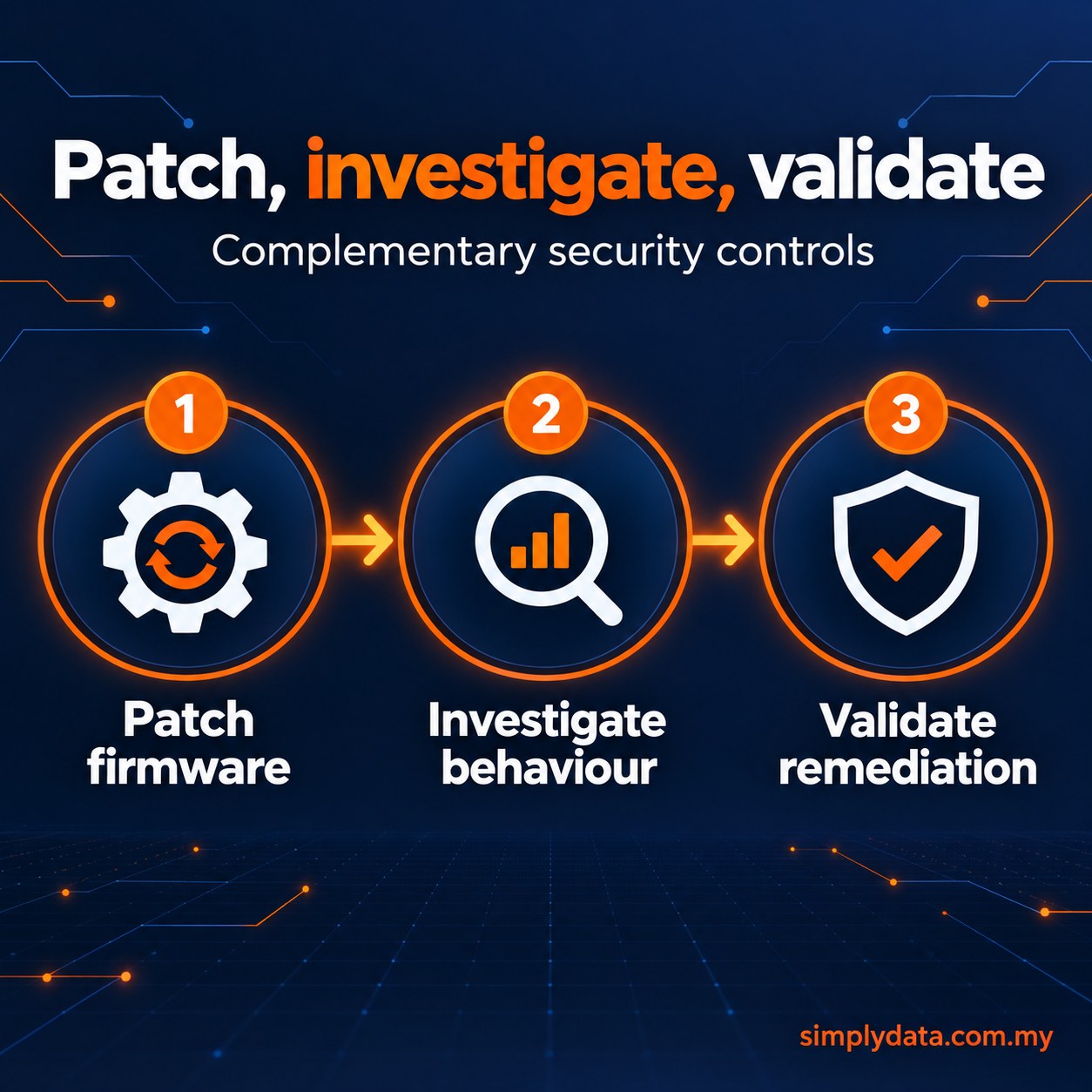
Patching, monitoring and testing answer different questions. A patch closes the weaknesses the vendor has fixed. It cannot show whether a device was misused before the upgrade, or whether a management interface can still be reached from the internet.
Behavioural SOC monitoring looks for unusual activity around the appliances. VAPT checks whether the exposure that matters has actually been removed. Together they form a simple sequence: patch firmware, investigate behaviour, validate remediation.
Each control covers a gap the others leave. A patched device with an internet-facing admin page is still exposed. A clean test today says nothing about weaknesses disclosed later.
The order matters too. Patch internet-facing devices first, review logs from before and after the change, then retest once the estate is stable. Following that order makes the three activities one piece of work you can audit.
How could a SOC investigate suspicious Fortinet activity?
What a SOC can see depends on the telemetry it receives. Firewalls and management appliances are usually monitored through supported syslog forwarding or APIs, not endpoint agents. The available fields vary by model, firmware and logging configuration, so confirm what each device actually sends.
Take a hypothetical scenario. Shortly before a planned upgrade, logs show a new administrator account created outside any approved change window. The login came from an unfamiliar management source address. It was followed by a configuration export and a change to logging settings.
An analyst would compare these events with the authorised change tickets. They would then correlate them with identity logs, DNS and network flows, VPN sessions, internal access patterns and downstream endpoint events. The aim is to tell legitimate administration apart from activity that needs escalation.
No single telemetry field proves an exploit. This scenario is illustrative only. It is not a validated or deployed CVE-specific detection, and it is not evidence that such activity has happened anywhere.
Simply Data Sdn. Bhd. runs a 24×7 Security Operations Centre on the SD Unified Platform. Machine-learning detections in the SIEM trigger multi-layer AI investigation workflows. These workflows check an in-house knowledge base and an in-house threat intelligence IoC database.
AI-drafted investigation packs help SOC analysts with investigation and threat hunting. Every AI decision is logged and can be retrieved for audit. The analysts own and spot-check the rules the AI uses to handle alerts.
Start the monitoring discussion with a coverage inventory: which devices forward audit events, which identity sources can be correlated, and who receives an escalation? Confirm timestamps and retention with the customer team. An unexplained gap in logging deserves investigation, but planned maintenance or a forwarding fault can also explain it.
What can VAPT validate after the upgrade?
An earlier VAPT report may have flagged exposed management interfaces, unsupported builds or weak segmentation. If so, this release is a good time to fix those findings and retest. A retest shows whether the fix actually worked, not just that a ticket was closed.
A scoped, authorised assessment can safely find public management exposure and confirm that builds are supported. It can also test whether segmentation limits who can reach appliance administration. Coordinate the testing with change windows so it does not disrupt upgrades.
Earlier VAPT is useful before a critical release arrives. A written scope can prioritise management-plane access, administrative privilege and segmentation, with named owners for remediation. Track each finding to a corrective change and a safe retest. Discovery alone does not lower exposure; the organisation must implement the fix and verify the result.
Keep the limits in mind. VAPT reduces risk only when findings are fixed and retested. A point-in-time test cannot find every unknown flaw, and it cannot prove that a product has no undisclosed vulnerabilities.
Fortinet security hardening works best when patching, monitoring and validation are planned together. For behavioural monitoring of your appliances, explore managed SOC services. To scope a remediation retest, see penetration testing in Malaysia. You can also contact Simply Data to arrange a conversation.
What questions do teams ask most often?
Has the 22 October release date passed?
Yes. As of 26 October 2026, the vendor-stated availability date has passed. Public advisories are planned for 10 November on the FortiGuard PSIRT page.
Are CVE numbers available for this release?
The Fortinet notice does not name CVEs or affected endpoints. Wait for the planned advisories rather than assuming older PSIRT entries apply.
Can we jump straight to the newest branch?
Check first. Confirm model support and the supported upgrade path with Fortinet before scheduling any branch change.
Do temporary mitigations replace the upgrade?
No. Fortinet states that restricting management access and similar steps reduce risk but do not replace a timely upgrade.
Is this release connected to PHP2Shell?
The Fortinet notice does not link them. Treat and track them as separate issues unless later primary advisories establish a connection.
Does SOC monitoring need an agent on the firewall?
No. Appliances are usually monitored through supported syslog or API telemetry. The available fields depend on the model and its configuration.
Will a VAPT prove our Fortinet estate is secure?
No test can prove that. VAPT reduces risk when findings are fixed and retested, but it cannot find every unknown flaw.